Having a password on your server is a great way to limit access to only those who should have it! In this tutorial we will explain how to add and change the password for your server.
- Navigate to your server’s Control Panel, and stop your game service.
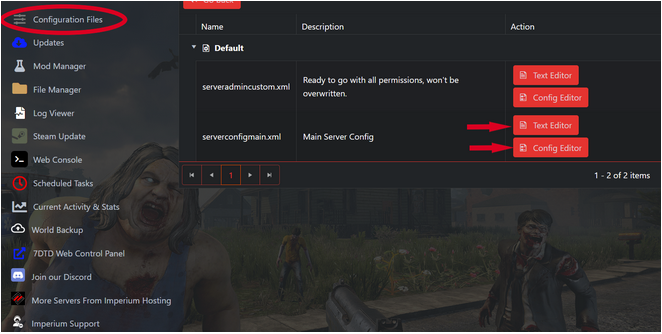
2. Click on “Configuration Files” in your game panel. In the serverconfigmain.xml row select either the Text Editor or Config Editor.
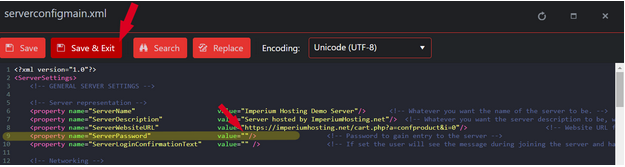
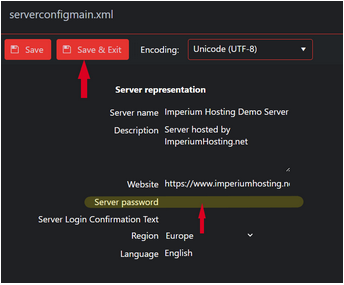
3. Each editor is unique (see below). Find the highlighted “Server Password” section. Enter your new password (in the text editor keep the password within the quotation marks “”). Then click “Save & Exit”.
4. Don’t forget to restart your server!
If you require any further assistance, please do not hesitate to reach out to Imperium Support or our Discord.
Check out the game page: https://imperiumhosting.net/7-days-to-die
