We understand that you're considering canceling your service, and we're genuinely sorry to hear that. Your satisfaction is our priority, and we're here to assist you with any concerns you may have encountered. Our dedicated support team is always available to address any issues and ensure that your experience with us is a positive one. If there are any specific reasons behind your decision to cancel, we would greatly appreciate your feedback as it helps us continually enhance our services.
How to Cancel Your Imperium Hosting Server
- Access our website at https://www.imperiumhosting.net/
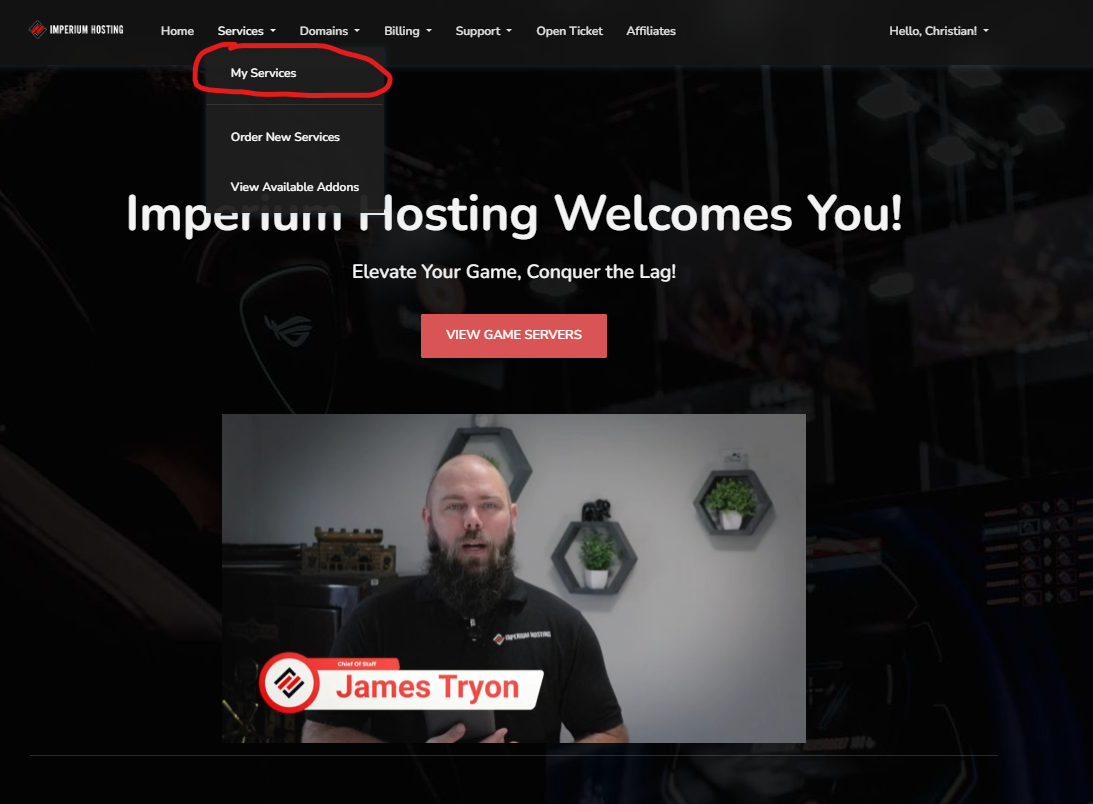
- Click the “My Services” tab.
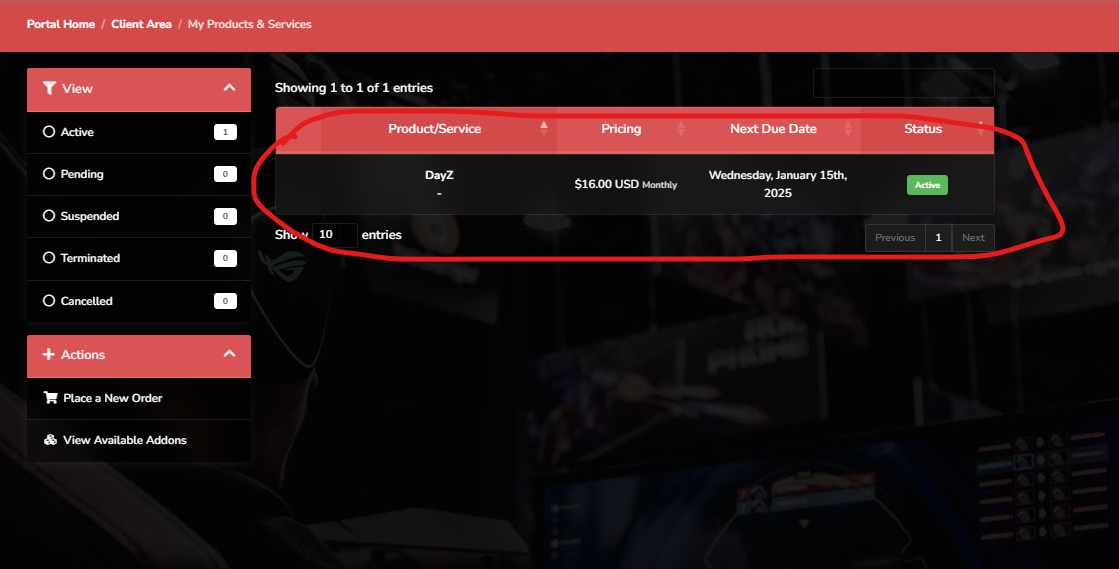
- Select the service you wish to cancel.
4. Click the "Request Cancellation" button.
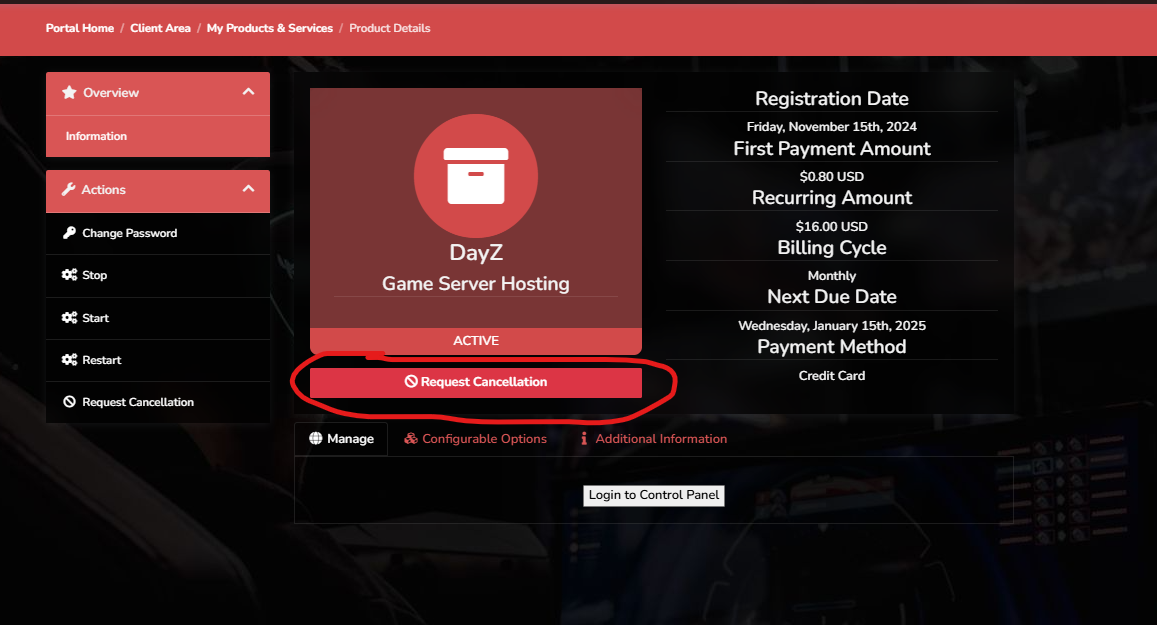
Once you've successfully submitted a cancellation request please allow up to 24 hours for the request to be processed.
Once your service is cancelled we will hold onto your server data for 48 hours. After the 48 hours has elapse all server data will be deleted. It is always a good idea to download your save files if you wish to continue your game locally or if you want to upload it to a new server in the future.
